MagicRoll AI
Video Editing Platform Enhancement
MagicRoll AI
Video Editing Platform Enhancement
Role
UI UX Designer
Platform
Web & Mobile
Overview
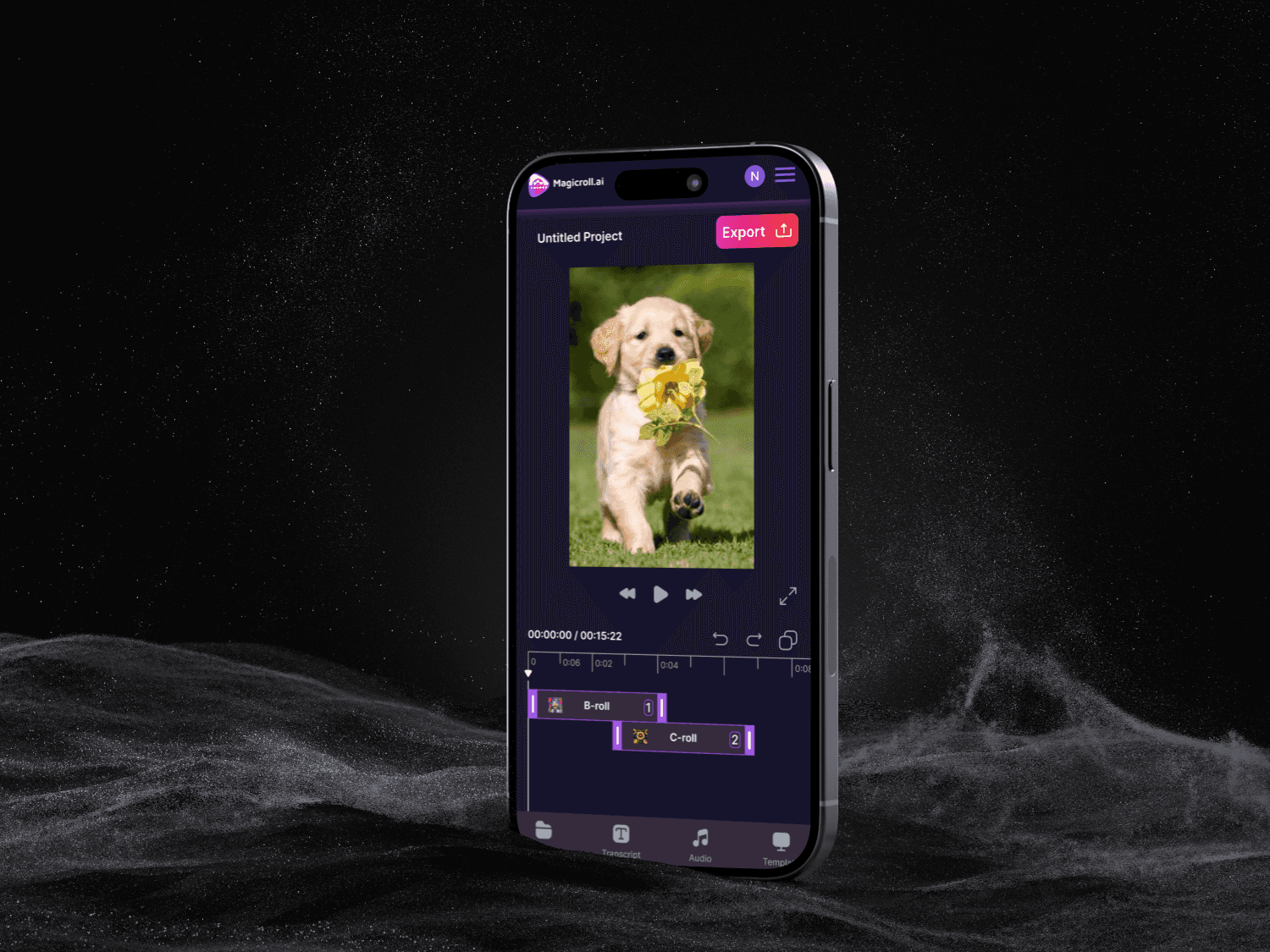
MagicRoll AI is an AI-powered video editing platform designed to simplify and accelerate the video creation process. This project focused on enhancing the existing product by improving usability, streamlining workflows, and designing end-to-end user flows across web and mobile platforms.


Problem
Problem
The existing platform had functional capabilities but lacked intuitive navigation and seamless editing flows. Users faced friction while:
Creating new projects
Uploading and editing videos
Navigating between different features
This impacted efficiency and overall user experience
The existing platform had functional capabilities but lacked intuitive navigation and seamless editing flows. Users faced friction while:
Creating new projects
Uploading and editing videos
Navigating between different features
This impacted efficiency and overall user experience
Goal
Simplify the video creation and editing journey
Improve usability and navigation
Maintain familiarity with existing design patterns while enhancing experience
Create consistent experiences across web and mobile
Research & Competitive Analysis
To understand industry standards and identify gaps, I analyzed similar AI video editing platforms such as:
FastCut AI
Submagic
Jupitrr
Key Insights:
Faster onboarding and editing flows are critical
AI suggestions should feel assistive, not overwhelming
Clear hierarchy and progressive disclosure improve usability
Mobile experiences often lack depth compared to web
Design Approach
Design Approach
Focused on user-first workflows rather than just visual improvements
Created clear step-by-step flows for project creation and editing
Used existing design patterns to maintain familiarity
Ensured consistency across web and mobile
Reduced cognitive load through better layout and hierarchy
Key Features Designed
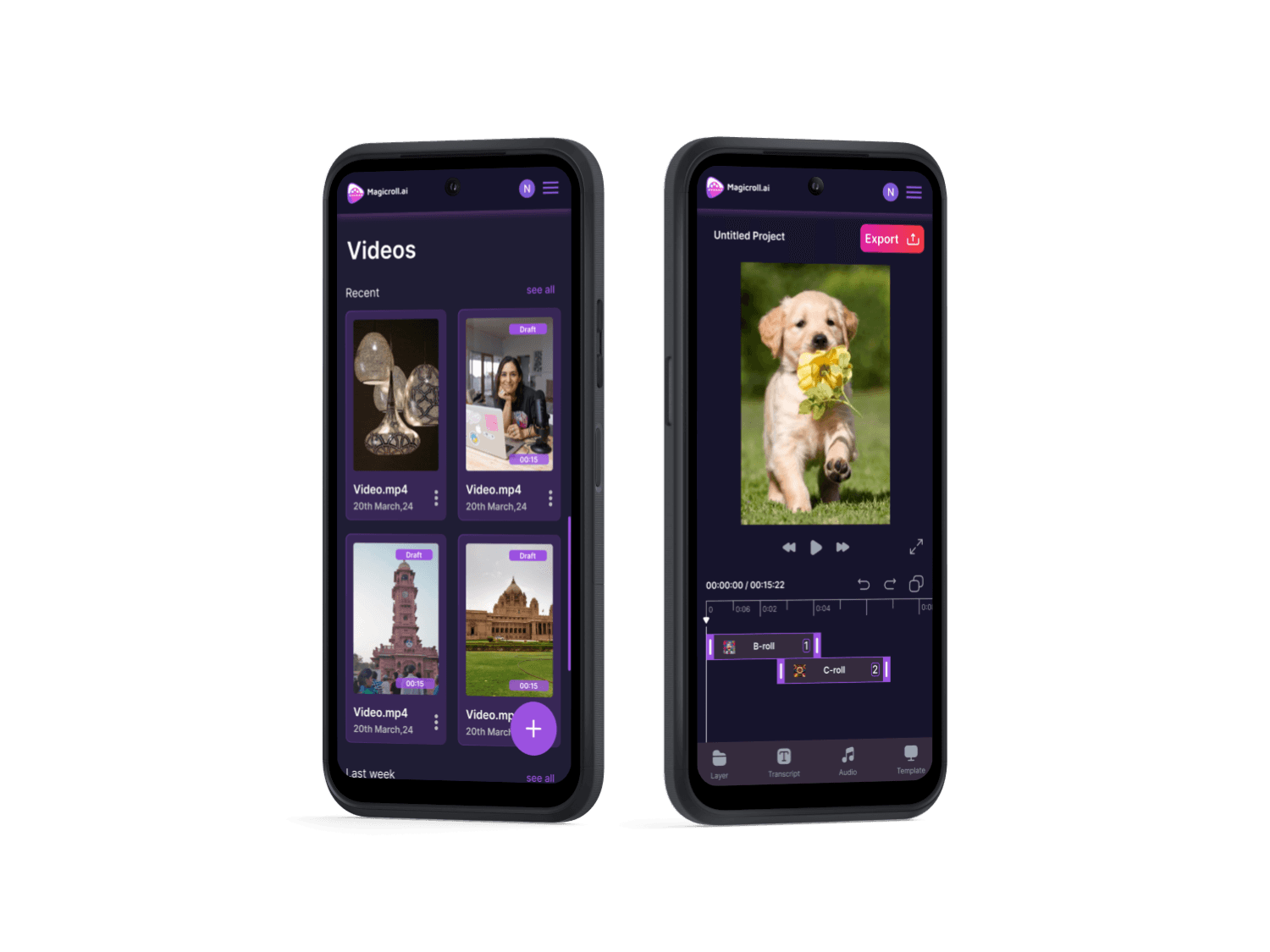
Dashboard (project overview and quick actions)
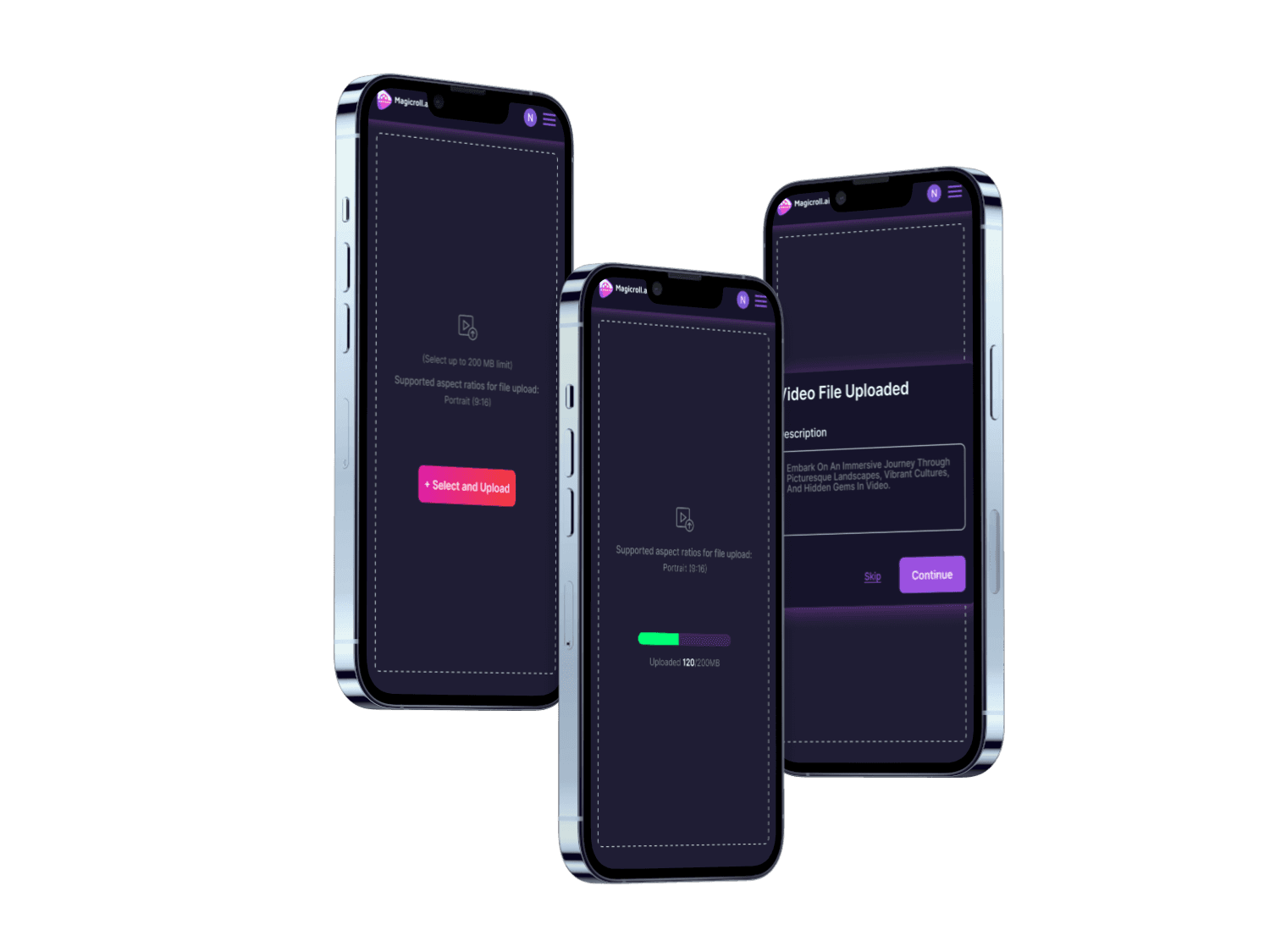
Create New Project (video upload flow)
AI-assisted Editing Interface
Timeline & Editing Controls
Project Management
Let's Talk
Feel free to reach out for collaborations or just a friendly hello 😁
© 2026 Naveeta Goswami. Made with 💛 and too many coffee breaks.
Let's Talk
Feel free to reach out for collaborations or just a friendly hello 😁
© 2026 Naveeta Goswami. Made with 💛 and too many coffee breaks.
Let's Talk
Feel free to reach out for collaborations or just a friendly hello 😁
© 2026 Naveeta Goswami. Made with 💛 and too many coffee breaks.